Managing business expenses becomes difficult when companies deal with a large number of receipts every month. Manually entering receipt details into spreadsheets or accounting systems is time-consuming and often leads to errors, missing data, and delayed expense reporting.
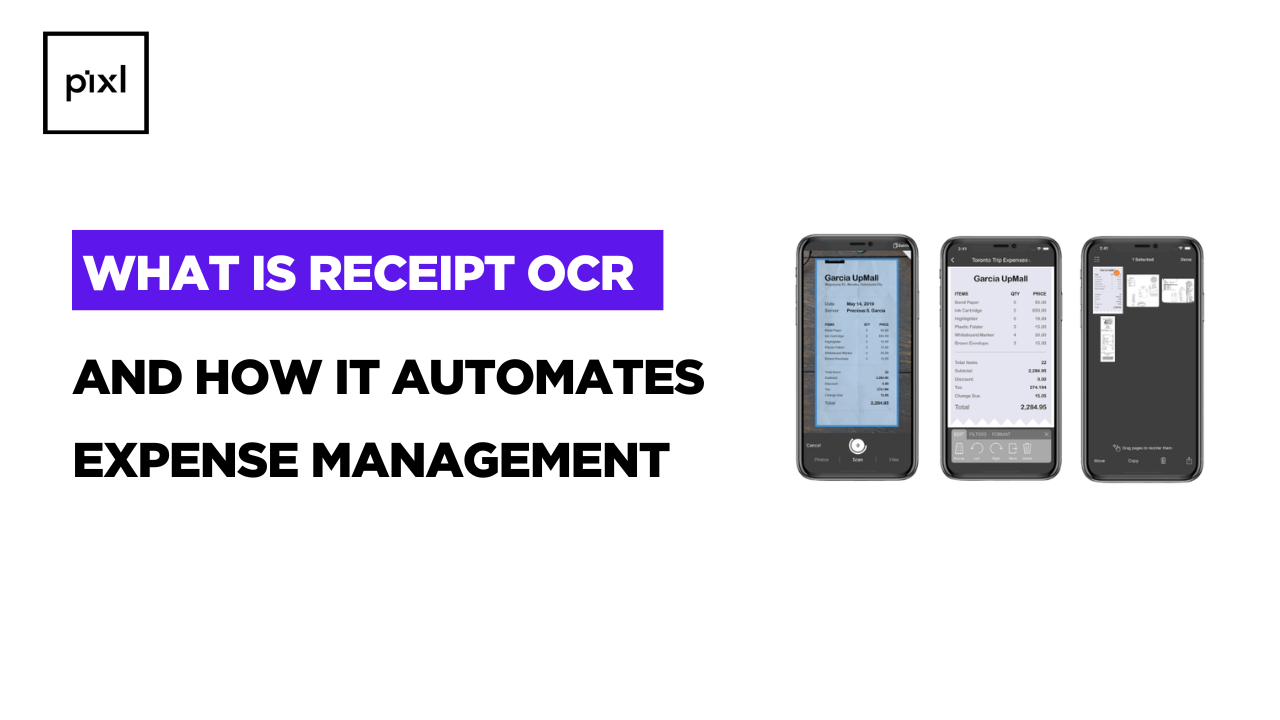
To overcome these challenges, businesses need a smarter way to capture receipt information. Receipt OCR (Optical Character Recognition) automatically scans receipts and extracts key details such as merchant name, date, amount, and tax information into structured digital data.
With Receipt OCR, companies can automate expense tracking, reduce manual errors, and speed up financial processes. This helps finance teams manage records more efficiently and focus on more important financial tasks instead of manual data entry.
In this guide, we will explore what receipt OCR is, how it works, and how it helps businesses automate expense management efficiently.
What is Receipt OCR?
Receipt OCR is a technology that uses Optical Character Recognition to read and extract text from receipts. It scans printed or handwritten receipts and converts the information into machine-readable data.
Instead of manually typing receipt details such as:
- Store Address
- Store Name
- Total Amount
- Product name
- Price
OCR for receipts automatically captures these details from images, PDFs, or scanned receipts.
The extracted data can then be directly integrated into expense management systems, accounting software, or financial databases.
How Receipt OCR Works
Receipt OCR combines image processing and AI-powered text recognition to accurately capture receipt information.
The process usually follows these steps:
1. Receipt Capture
Users upload receipts using a mobile camera, scanner, or document upload system.
2. Image Processing
The system enhances the image by correcting orientation, removing noise, and improving readability.
3. Text Recognition
The OCR engine identifies characters and text elements within the receipt.
4. Data Extraction
AI models detect specific fields such as:
- Merchant name
- Invoice number
- Date
- Tax amount
- Total payment
5. Data Integration
The extracted receipt data is automatically stored in accounting systems or expense management tools.
This automation eliminates the need for manual receipt entry and significantly speeds up financial workflows.
Why Businesses Are Adopting Receipt OCR
Organizations today are moving toward digital financial operations, and receipt OCR plays a key role in that transformation.
To understand how automation improves financial workflows, see The Benefits of Using Receipt OCR for Expense Management, where we explain how Receipt OCR simplifies expense tracking, reduces manual work, and improves financial reporting accuracy.
Some of the key reasons businesses are adopting receipt OCR include:
Faster Expense Processing
Manual receipt entry can take several minutes per document. OCR reduces this process to a few seconds.
Reduced Human Errors
Typing errors, missing details, or incorrect amounts are common in manual data entry. Receipt OCR improves data accuracy and consistency.
Better Financial Visibility
With automated receipt data extraction, businesses can track expenses in real time, making financial reporting more reliable.
see How Receipt OCR Improves Accuracy in Financial Recordkeeping, which explains how OCR technology enhances financial data reliability.
Paperless Documentation
Digital receipt processing helps companies move toward paperless accounting systems, making document storage and retrieval easier.
Receipt OCR vs Manual Expense Processing
Many organizations still rely on manual receipt entry, especially small teams that manage expenses through spreadsheets. However, as businesses grow, manual processes become inefficient and difficult to scale.
Manual entry can lead to:
- Data entry mistakes
- Lost receipts
- Delayed expense approvals
- Inaccurate financial reports
Receipt OCR eliminates these issues by automating the extraction of receipt information.
Explore the detailed comparison between Receipt OCR vs Manual Expense Entry: Which is Better for Businesses?
Key Features of Modern Receipt OCR Solutions
Advanced receipt OCR tools include several intelligent capabilities designed to improve financial operations.
1. Smart Data Extraction
Automatically identifies key receipt fields such as vendor name, amount, and taxes.
2. Multi-Format Support
Works with PDFs, scanned documents, and mobile images.
3. AI-Based Field Detection
Uses machine learning to recognize different receipt layouts.
4. Integration with Accounting Systems
Seamlessly connects with expense management software and ERP platforms.
5. Real-Time Processing
Processes receipts instantly, enabling quick expense approvals and reporting.
Common Use Cases of Receipt OCR
Receipt OCR is widely used across different industries and business functions.
Employee Expense Management
Employees upload receipts through mobile apps, and the system automatically records expenses.
Corporate Travel Expense Tracking
Travel receipts such as hotel bills, taxi payments, and restaurant bills can be instantly digitized.
Accounting and Bookkeeping
Accounting teams use receipt OCR to streamline financial recordkeeping and reconciliation.
Small Business Expense Tracking
Small businesses benefit from automated receipt processing to simplify bookkeeping and reduce administrative work.
Best Practices for Implementing Receipt OCR
Implementing receipt OCR effectively requires proper planning and workflow integration. Businesses should ensure their OCR solution integrates smoothly with existing financial systems.
To learn the complete implementation strategy, the Best Practices for Implementing Receipt OCR in Expense Workflows, where we explain how to successfully integrate OCR into expense automation processes.
Some general best practices include:
- Choosing an AI-powered OCR platform
- Integrating OCR with accounting software
- Encouraging digital receipt uploads
Maintaining periodic data validation
The Future of Receipt OCR in Expense Automation
Receipt OCR technology is evolving rapidly with the integration of Artificial Intelligence and machine learning. Future systems will be capable of:
- Recognizing complex receipt formats
- Automatically categorizing expenses
- Detecting duplicate or fraudulent receipts
- Providing real-time financial insights
As businesses continue adopting digital finance workflows, receipt OCR will play a critical role in making expense management faster, smarter, and more reliable.
Conclusion
Receipt OCR has transformed how organizations manage and process receipts. By automatically extracting data from receipts and converting it into structured information, businesses can eliminate manual data entry, reduce errors, and streamline financial workflows.
From employee expense management to corporate accounting, receipt OCR enables faster, more accurate, and more efficient expense tracking.
Businesses that want to modernize financial operations should start adopting receipt OCR technology as part of their expense automation strategy.