Accurate financial records are essential for every business. Receipts contain important transaction details such as purchase amounts, taxes, merchant names, and payment dates. However, manually entering this information into financial systems can lead to mistakes, missing data, and inconsistencies.
This is where Receipt OCR becomes valuable. Receipt OCR converts receipt images or scanned documents into structured digital data. By automating data extraction, businesses can reduce manual errors and maintain more accurate financial records.
This guide explains how Receipt OCR improves accuracy in financial recordkeeping and helps organizations manage financial data more reliably.
Understanding Receipt OCR in Financial Recordkeeping
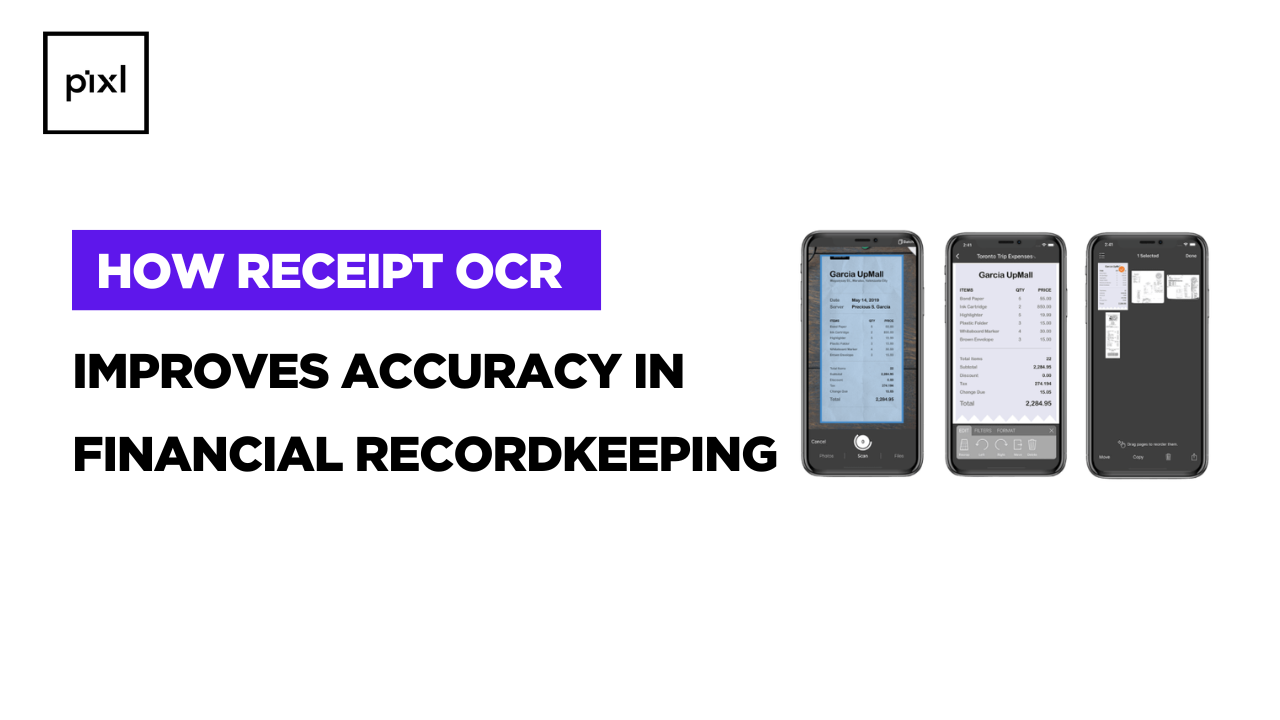
Receipt OCR (Optical Character Recognition) technology reads text from receipts, invoices, and other financial documents. It then converts this information into structured data that can be stored in accounting or expense management systems.
Important details that can be extracted include:
- Merchant name
- Transaction date
- Purchase amount
- Tax details
- Payment method
By automatically capturing these data points, businesses can ensure that financial records remain consistent and organized.
1. Eliminates Manual Data Entry Errors
Manual data entry is one of the most common causes of inaccuracies in financial records. Employees may accidentally enter incorrect numbers, skip fields, or misread receipt details.
Receipt OCR reduces these risks by automatically extracting data from receipts. Instead of typing each transaction manually, the system captures the information directly from the document.
This automation helps businesses:
- Reduce human errors
- Improve transaction accuracy
- Maintain consistent financial data
As a result, financial records become more reliable and easier to manage.
2. Ensures Consistent Data Capture
When receipts are entered manually, different employees may record information in different ways. For example, merchant names or tax details may be formatted differently across records.
Receipt OCR standardizes how data is captured and stored. Every receipt follows the same structured format, which ensures consistency across financial documents.
Consistent data capture helps businesses:
- Maintain uniform financial records
- Improve reporting accuracy
- Simplify financial analysis
3. Improves Financial Data Validation
Accurate financial recordkeeping requires verifying that transaction details are correct. Receipt OCR systems can support validation processes that check extracted data before it enters accounting systems.
Common validation checks include:
- Verifying totals and tax values
- Detecting duplicate receipts
- Matching receipts with expense reports
These automated checks help identify potential errors early, ensuring that only verified data is stored in financial records.
4. Reduces Missing or Incomplete Information
Paper receipts can easily be lost, damaged, or forgotten during manual expense reporting. Missing receipts often result in incomplete financial records and reporting issues.
Receipt digitization solves this problem by converting receipts into digital documents as soon as they are captured. Once stored digitally, receipts can be easily retrieved whenever needed.
This improves financial accuracy by:
- Preventing lost receipts
- Maintaining complete expense documentation
- Supporting reliable financial reporting
Digital storage also makes it easier to maintain organized financial archives.
5. Enhances Audit Readiness
During financial audits, businesses must provide accurate and well-documented records of transactions. Incomplete or inconsistent records can create compliance risks.
Receipt OCR helps organizations maintain clear documentation by storing receipt data and images together in digital systems.
This improves audit readiness by:
- Providing searchable financial records
- Ensuring receipts are linked to transactions
Maintaining transparent financial documentation
6. Improves Integration with Accounting Systems
Accurate financial recordkeeping also depends on how well data flows between systems. Receipt OCR can integrate with accounting software, expense management platforms, or enterprise resource planning (ERP) systems.
Once receipt data is extracted, it can be automatically transferred to financial systems without manual entry.
This integration helps businesses:
- Maintain accurate accounting records
- Reduce data duplication
- Improve overall financial workflow efficiency
Automated data transfer ensures that financial information remains consistent across platforms.
7. Supports Better Financial Reporting
Accurate financial records are the foundation of reliable business reporting. When receipt data is captured automatically and stored correctly, businesses can generate more precise financial reports.
Receipt OCR contributes to better reporting by:
- Ensuring accurate transaction records
- Maintaining consistent financial data
- Providing complete expense documentation
With reliable data, finance teams can make better decisions based on accurate financial insights.
Conclusion
Maintaining accurate financial records is critical for business operations, compliance, and reporting. Manual receipt handling often leads to data entry errors, missing documentation, and inconsistent records.
Receipt OCR improves financial recordkeeping by automating data extraction, standardizing information, and supporting validation processes. Through receipt digitization and automated data capture, businesses can maintain more reliable and organized financial data.
By implementing Receipt OCR effectively, organizations can improve financial accuracy, strengthen documentation, and ensure better control over their financial records.